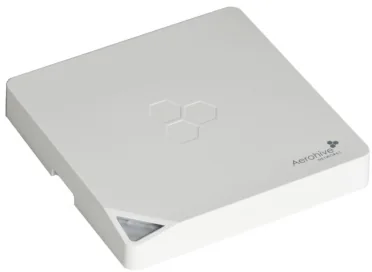
HiveAP 350
Fastest controller-less option, with dual-band Wi-Fi 4 and two Gigabit ports.
Photo-led hardware research
Ten legacy enterprise access points, identified from their original labels and checked against product documentation. Start with controller requirements, then compare Wi-Fi technology, radios, ports, power and antennas.
26 original photos · 10 online reference images · 20+ documentation links
Fastest controller-less option, with dual-band Wi-Fi 4 and two Gigabit ports.
Wi-Fi 5 and 1.3 Gbps per radio—but only with the required Meru/Fortinet controller.
Standalone, but limited to 54 Mbps per radio and a Fast Ethernet uplink.
40-unit purchase verdict
Every model costs the same $15 per unit. The winning lot is therefore the one with the lowest total deployment friction: no controller, complete antennas, usable firmware and consistent power requirements.
Recommended default
$60040 units × $15
The safest ratio of technology, hardware and everyday usability when the antenna inventory is uncertain. It works without a controller, has internal antennas, concurrent 2.4 + 5 GHz service and a Gigabit uplink.
AP350 and AP340 each need six external antennas. A complete 40-unit fleet needs 240 antennas. If those are missing, accessory cost and setup time can erase the hardware advantage.
Choose all 40 only when the six antennas per AP are included and working. You get three streams, 450 Mbps per radio and two Gigabit ports without a controller.
The only Wi-Fi 5 option is compelling at $15, but only with an existing compatible controller and complete antennas. Otherwise it is the poorest usability deal.
Standalone does not compensate for 54 Mbps radios and Fast Ethernet. Cisco, Trapeze and Juniper models also lose practical value through controller dependence.
Used enterprise hardware is only a bargain if it is complete and testable. Ask for these checks before committing.
Editorial score for practical reuse: radio technology 30, standalone usability 30, hardware 25 and deployment cost 15. This is not a resale-price forecast.
A used/refurbished listing shows that the lot price is plausible, not automatically exceptional. Antenna completeness remains decisive.
View AP350 listingA refurbished listing with a one-year warranty makes this a strong baseline. An untested lot should be discounted for missing warranty and accessories.
View AP121 listingThe same retailer lists refurbished AP832e units at $125.99 and an MC1550 controller at $232.95, illustrating the hidden deployment cost.
View AP832e and controller pricesOnline prices are asking-price references, not guaranteed sold prices or valuations. Condition, warranty, antennas, licenses and shipping can change the real cost.
Model library
Every profile pairs the original evidence with an online reference image. Rates shown are theoretical PHY rates per radio, not expected real-world throughput.
Try a broader search or reset the filters to see all ten devices.
Comparison workspace
Compare any two models field by field, or select one model and evaluate it against the entire collection.
Choose two access points for a complete side-by-side comparison.
Benchmark one selected model against every device in the report.
PHY comparisons use the documented maximum rate per radio. Deployment differences are called out separately so a faster controller-dependent AP is not presented as automatically more reusable.
Evidence and attribution
Manufacturer material is prioritized. Archived distributor documentation and retailer photos are identified explicitly, especially for discontinued products.
Model names and SKUs were read from the original chassis labels. Bulk photographs were used only as supporting evidence; exact unit quantities were not inferred where labels were hidden.
Standalone means the AP can be configured and provide service without an external WLAN controller. Local traffic switching while controller-managed does not qualify.
These are legacy enterprise devices. Check firmware availability, controller compatibility, security and regulatory-domain settings before production use.
¹ Cisco exception: the photographed AIR-LAP1141N-E-K9 is controller-based in its native lightweight mode. A separate autonomous IOS image and conversion procedure are required for standalone operation; it should not be treated as standalone out of the box.